WhileHere
Location-based reminders that surface exactly when you need them
Overview
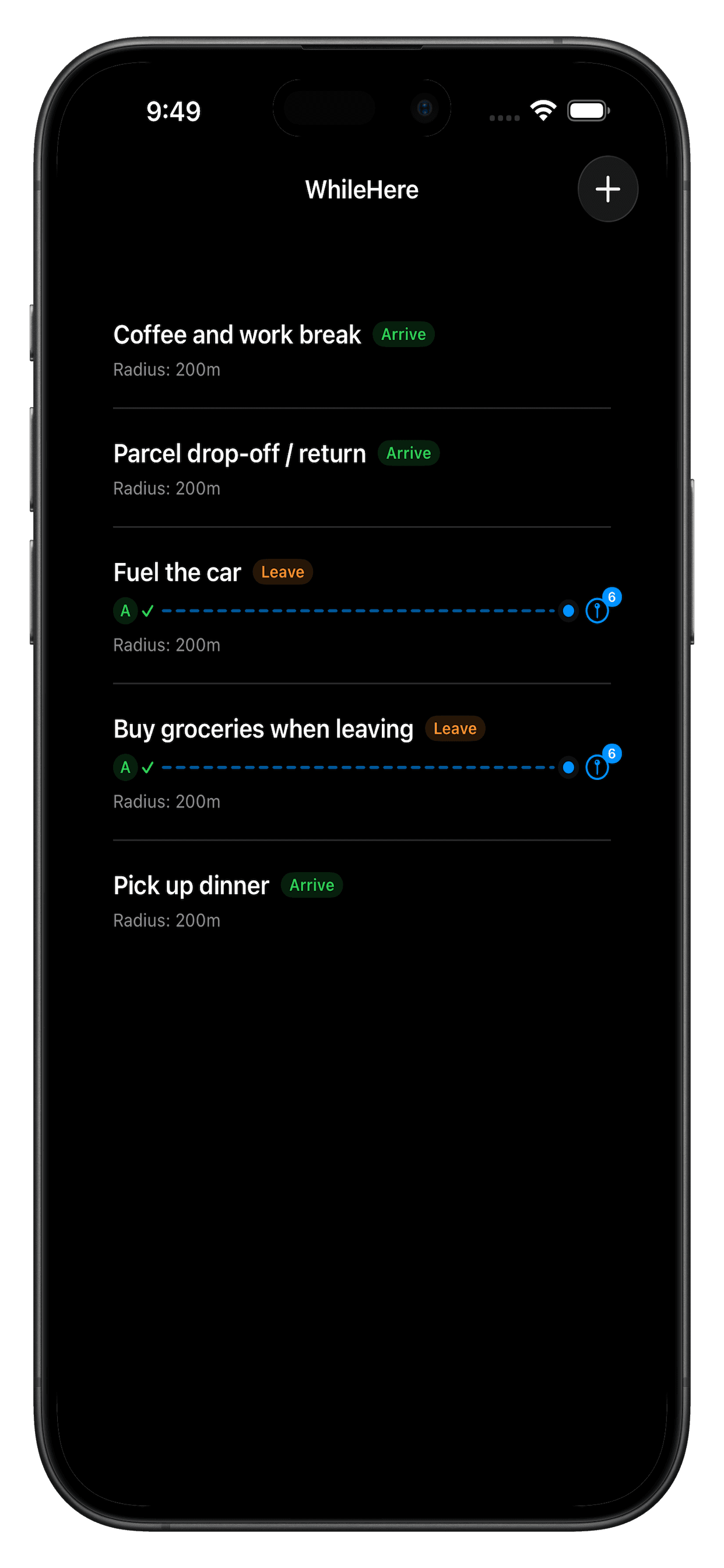
WhileHere lets users attach a reminder to one or more places. Each task can have its own adjustable trigger radius, and WhileHere notifies you the moment you arrive — even if the app isn't open.
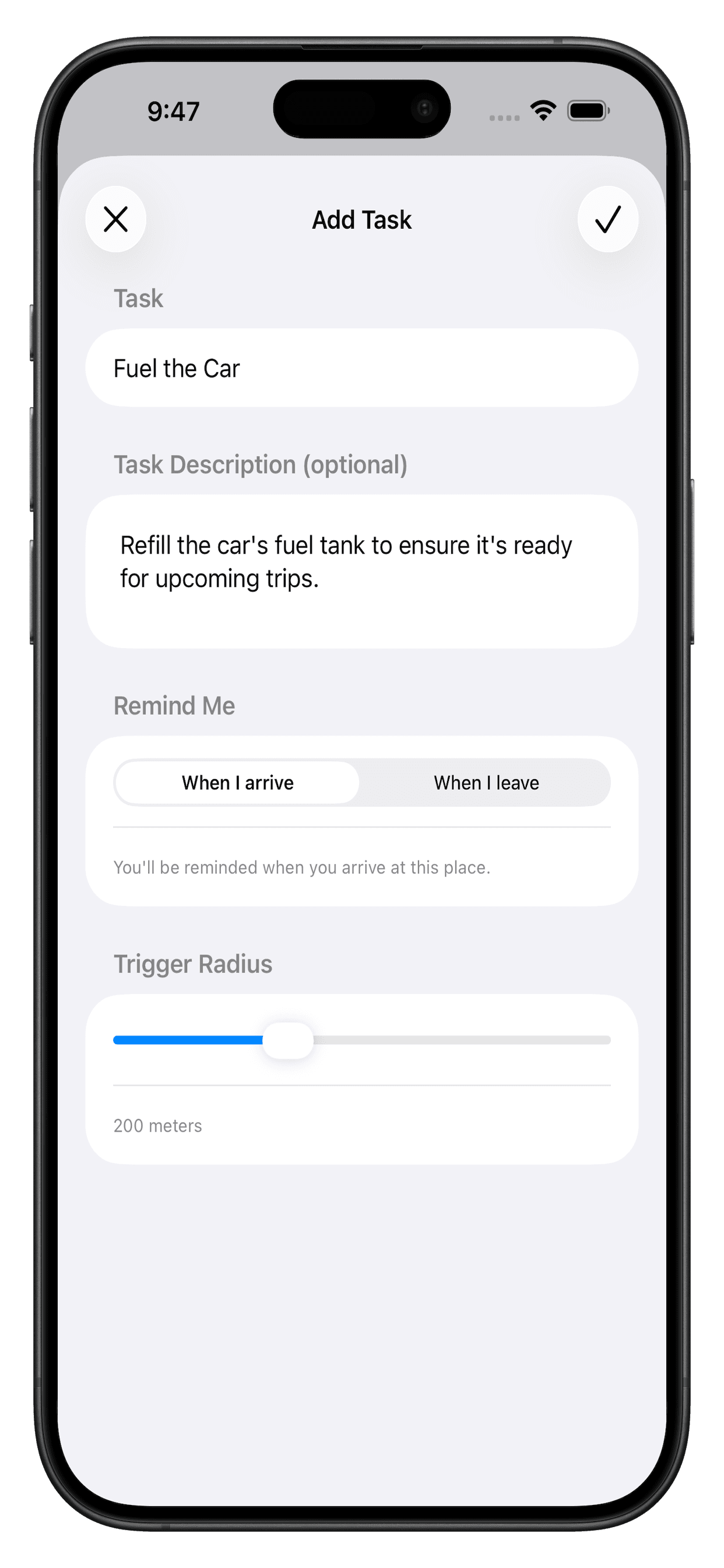
Setting up a task is map-first: users add, move, and reprioritize pins directly on the map, with nearby places suggested automatically based on the task's keywords. Arrival notifications are actionable (Remind Later, Mark Done), and the app integrates Firebase Analytics and Crashlytics behind proper background location permission handling.
- The problem
- Some tasks are tied to a place, not a specific time — "pick up milk" only makes sense once you're actually near a store, whenever that happens to be.
- Why I built it
- I wanted hands-on experience with Core Location's region-monitoring APIs and background execution model, and a reminders app was a natural, genuinely useful way to apply it.
- Target users
- People who run errands across multiple locations and want reminders that surface contextually, right where the task is relevant.
Features
Geofence-triggered reminders
Reminders fire automatically the moment you arrive at a saved place — no need to check the app or set a time.
Multi-location & radius-based triggers
A single task can be attached to multiple places at once, each with its own independently adjustable trigger radius.
Interactive map flows
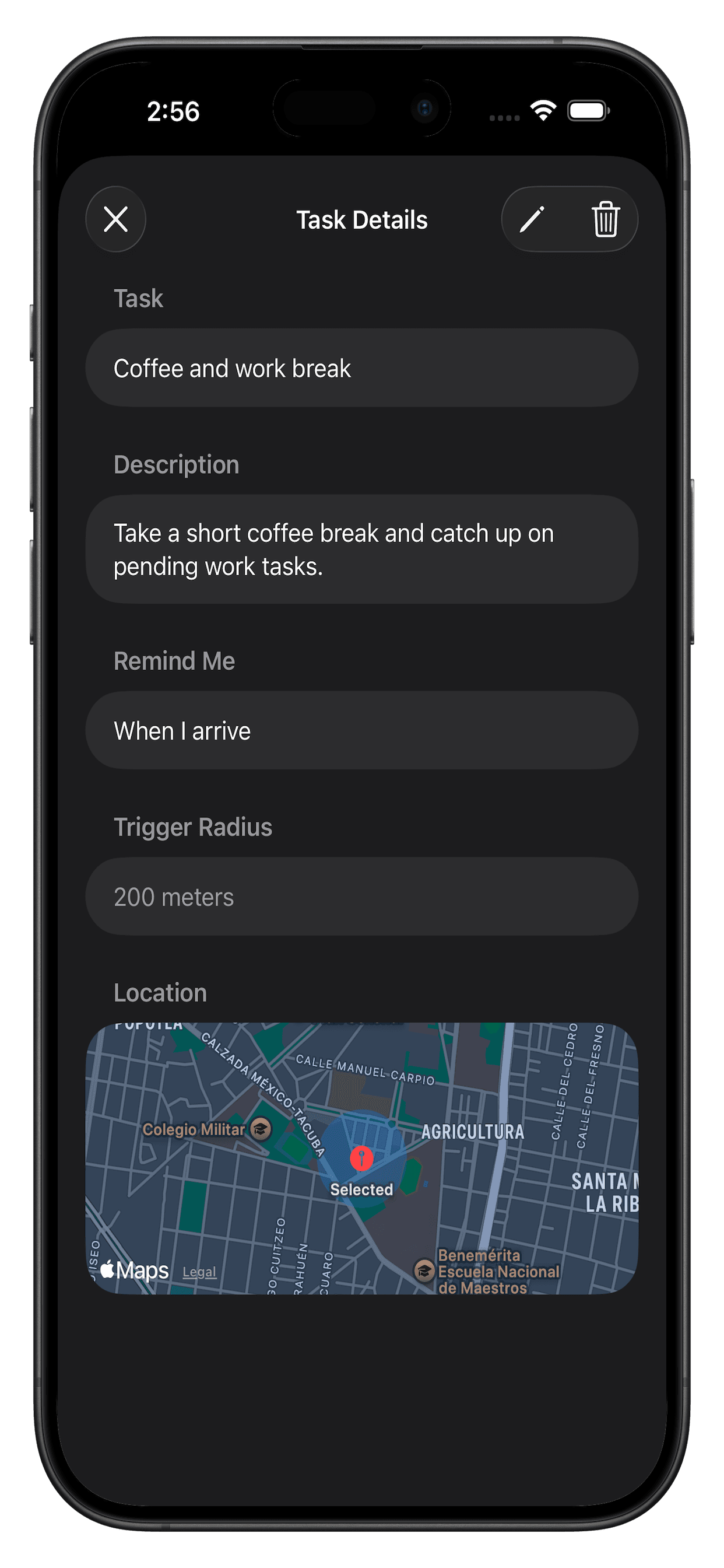
Add, move, and reprioritize location pins directly on the map when setting up or editing a task.
Suggested nearby places
MapKit-powered place suggestions surface automatically based on a task's keywords as you set it up.
Actionable notifications
Arrival alerts include Remind Later and Mark Done actions, backed by proper background location permission handling.
Also on iPad
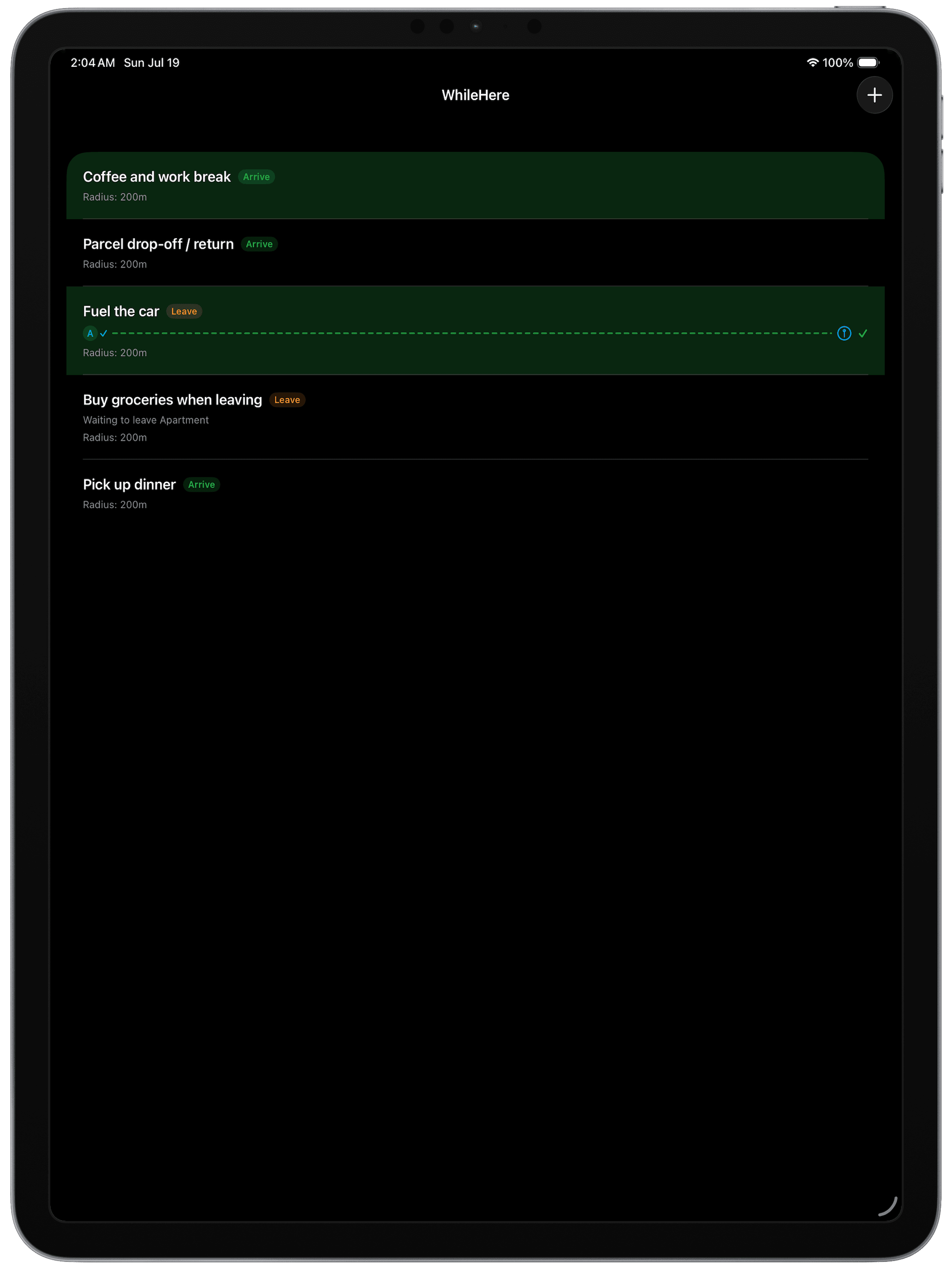
Technical Architecture
- App architecture
- WhileHere uses MVVM. A dedicated LocationService wraps CLLocationManager and acts as its delegate: on region entry it looks up the matching task via TaskRepository, then builds and schedules the local notification through NotificationService. Geofence registration and removal is handled by a separate GeofenceManager owned by the LocationService, keeping Core Location specifics out of the view layer.
- Folder organization
- The project is organized by layer rather than feature: Views (Home, TaskForm, TaskViews, Map, Auth), ViewModel, Services (LocationService, GeofenceManager, NotificationService, analytics, sync), Persistence, CoreDataModel, Notifications, and Common.
- Data flow
- Tasks and their locations are persisted to Core Data and registered as CLCircularRegion geofences. Only region-entry events trigger notifications — notifyOnExit is false, so exits are ignored. Entry events are handled by LocationService, which fetches the task from the repository, checks active/completed/snooze state, and schedules an immediate local notification.
- State management
- Map and list state live in SwiftUI @StateObject view models (HomeViewModel). LocationService publishes authorization and location-services state as an ObservableObject, but it isn't a single shared instance — HomeViewModel and NotificationDelegate each create their own.
- Persistence
- Core Data stores Task, TaskLocation, and GeoIdMapper entities, including coordinates and geofence identifiers. When a region-entry event fires, the identifier is matched back to the stored task via fetchTask(byGeofenceIdentifier:), with GeoIdMapper supporting multiple regions per task and a fallback lookup by task ID.
Challenges
Notification actions
Supporting actions like Mark Done and Remind Later required custom notification categories, action handling, and updating Core Data even when the app isn't currently open.
Multiple locations per reminder
A single reminder like "Buy milk" can be attached to several places — Walmart, Costco, the local grocery store. Entering any one of them should trigger it, and completing it should disable notifications for the others, which took careful data modeling to get right.
Permission handling
Users can deny notifications, choose "While Using" instead of "Always," or disable Precise Location. The app needs to gracefully explain why each permission matters, degrade functionality appropriately when it's limited, and make it clear in the UI when a permission isn't enabled so the user knows to turn it on.
Lessons Learned
- Core Data modeling: learned how to model real-world relationships, such as reminders associated with one or more locations, and how careful entity design makes future features easier to implement.
- Understanding iOS frameworks in depth: building WhileHere required bringing together multiple Apple frameworks — including Core Location, MapKit, UserNotifications, and Core Data — and understanding how they interact throughout the app lifecycle.
- Event-driven architecture: rather than continuously checking the user's location, I learned to rely on system events. The app reacts to location changes and notification actions instead of constantly running in the background, making it more efficient and battery-friendly.
Legal information for WhileHere